Sales Machine Proposal
Sell more, close faster with branded proposals, quick quotes, and built-in checkout.
What is Sales Machine Proposal?
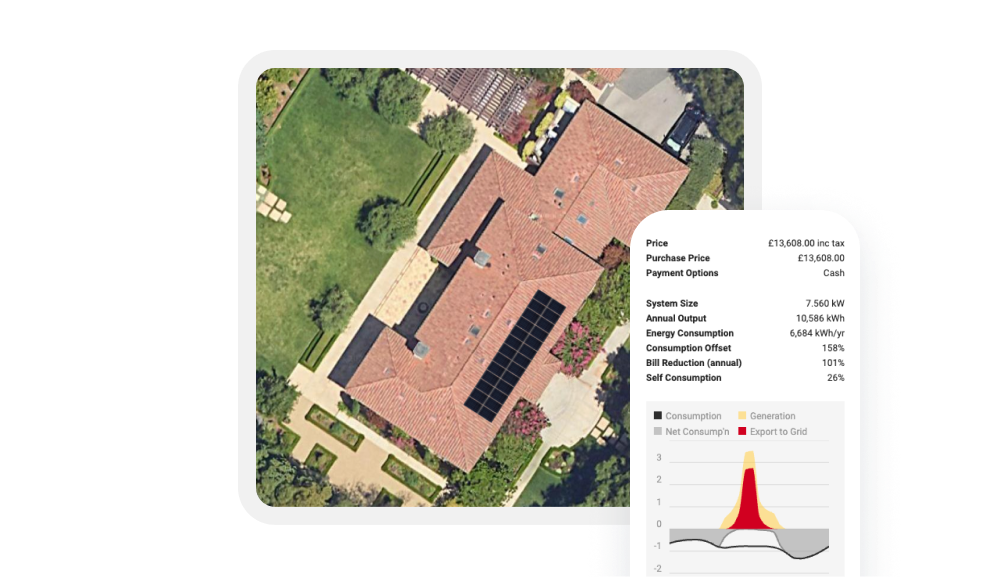
Sales Machine Proposal is the customizable quote and proposal experience inside OpenSolar. It helps you turn your project details into a customer-ready proposal or quick quote that supports the sale.
Choose the path that fits the job:
- Swipe
A slide-based, interactive lifestyle proposal built for modern, side-by-side selling. - Scroll
A long-form document style proposal for Pros who prefer the Classic flow.
- Bespoke
A tailored proposal option for teams that need something more custom.
- Quick Quote
A fast quote and checkout path for simpler service and non-solar jobs.
Why Pros choose
the Sales Machine Proposal experience

Set up your branding, sections, content, and disclaimers so every proposal or quote looks like your business and fits the way you sell.

Show customers the bigger opportunity in one proposal, whether it’s solar, batteries, EV charging, heat pumps, or full electrification.

Keep customers moving with payment options, financing where available, deposits through CashFlow, and acceptance inside the same proposal or quote.


What comes with Sales Machine Proposal?
-
Proposal and quote paths for the way you sell
- Swipe: slide-based, interactive lifestyle proposal
- Scroll: long-form document style Classic proposal
- Bespoke: tailored proposal option through Customize and Enterprise plans
- Quick Quote: fast quote and checkout path for simpler jobs, service work, and non-solar projects
-
Templates and brand controls
- Template Library with safe switching
- Live/Preview Mode for live adjustments while presenting
- Branding controls for logo, fonts, colors, and imagery
- Sections, content, and disclaimers you control
- Org-level templates for consistent team branding
-
Quick Quote for simpler jobs
- Create a quote without building a full solar design
- Use it for service work, EV chargers, heat pumps, HVAC, roofing, electrical, maintenance, and other non-solar jobs
- Add customer, address, job description, price, tax, and payment terms
- Send a mobile-friendly quote link customers can review, accept, and pay from where enabled
-
Electrification inputs and savings
- Natural gas, EV, and heat pump inputs
- Consumption and savings updates reflected in the proposal
- Current vs. Electrified comparisons
- Now, Future, and Lifetime views
- Clear monthly savings callouts
-
Checkout inside the proposal or quote
- Cash and monthly payment options shown inside the flow
- Deposit and down payment collection through CashFlow
- Finance applications where available
- Proposal or quote acceptance inside the same flow
- Next Steps shown after acceptance
-
Share and track
- Share instantly with one link
- Works on desktop, tablet, and mobile
- See which sections customers viewed and where they spent time where available
- Quote views and acceptance notifications where supported
-
One-click proposal sharing via WhatsApp
- Set your business message once
- Automatically personalise it with customer and project details
- Review and edit before sending
- Share the proposal directly from OpenSolar
- Track when the proposal was shared
-
Interactive 3D proposal view
- Explore the solar design in 3D, with no login or app required
- Rotate, zoom and pan around the design
- Visualise shading and sunlight across the day and year
- Compare system options and key financial figures
- Continue directly from the 3D view to the full proposal
How it works
Create full proposals from a completed design with Swipe, Scroll, or Bespoke. Use Quick Quote for simpler service, EoE, or non-solar jobs.
Add your branding, sections, content, and disclaimers so the proposal or quote fits the job.
Send one link. Walk the customer through the options, and move from quote or proposal to acceptance with built-in checkout.

Stand out with your brand.
Sell more jobs.
Close faster.
FAQs
Sales Machine Proposal is the proposal and quote experience inside OpenSolar. It gives Pros different ways to present, quote, accept, and collect payment, depending on the job.
Swipe is a slide-based, interactive proposal. Scroll is the long-form Classic-style proposal. Quick Quote is the faster path for simpler jobs that need a quote, acceptance, and checkout without a full solar design. Bespoke is for teams that need deeper customization and hands-on support.
Swipe, Scroll, and Quick Quote include self-serve controls for branding, sections, content, and disclaimers. Exclusive and Bespoke are available through Customize and Enterprise plans for teams that need more hands-on setup, deeper customization, or a proposal experience built more closely around their sales process.
Use Quick Quote when the job does not need a full solar proposal. It is built for simpler service, EoE, and non-solar jobs, such as EV chargers, heat pumps, HVAC, roofing, electrical work, maintenance, and repairs.
Yes. You can choose the format that fits how you sell. Use Swipe, Scroll, or Bespoke for fuller proposals, or Quick Quote when the job needs a faster quote and checkout path.
Sales Machine Proposal is available within OpenSolar, with rollout enabled by region.
Availability is enabled by region. If you do not see Sales Machine Proposal or Quick Quote in your account, it may not be turned on for your market yet.
Yes. For fuller proposal workflows, it works with OpenSolar projects and design data so you can go from design to proposal without rebuilding anything. Quick Quote gives you a faster path when the job does not need a full solar design.
Minutes. Choose a proposal style or Quick Quote, apply the right starting point, then customize key details like branding, sections, content, pricing, and payment terms.
Yes. Swipe, Scroll, and Quick Quote include self-serve controls for branding, sections, content, and disclaimers. Teams that need deeper customization can explore Exclusive or Bespoke options through Customize and Enterprise Services.
Yes. Use Edit Mode or Live/Preview Mode to make updates while viewing the proposal, then switch to the customer view when you are ready.
Yes. Swipe is built for side-by-side selling and works on desktop, tablet, and mobile. Scroll and Bespoke are available when a long-form or tailored flow is a better fit. Quick Quote is built for faster jobs where the customer needs a clear quote and checkout link.
Yes. You can create a focused proposal or quote for EV charging or heat pumps, or include solar, batteries, EV charging, and heat pumps in one proposal when the project calls for a full electrification story.
Yes. Quick Quote is designed for service work and non-solar projects that do not need a full solar design, such as electrical, HVAC, roofing, maintenance, repairs, EV chargers, and heat pumps.
For full proposal workflows, it compares Current vs. Electrified energy and costs, with clear savings views that help customers understand the impact over time. Savings views are most relevant when the job includes solar or electrification inputs.
Yes. CashFlow is built into Sales Machine Proposal so customers can compare payment options, apply for financing where available, and pay a deposit in one flow.
Yes, where enabled. Customers can review the quote, accept it, and pay a deposit or other payment through CashFlow where applicable.
The proposal locks to the chosen setup where applicable and shows Next Steps after acceptance, so the path forward stays clear. For Quick Quote, the job can move forward with acceptance, payment, invoicing, and follow-up inside OpenSolar where supported.
Swipe, Scroll, and Bespoke are for residential proposal workflows and support up to six designs per project where design selection applies. Quick Quote is for simpler service, EoE, and non-solar jobs that do not need a full solar design. Availability and supported project types may vary by rollout.
No. You can switch templates without changing the underlying project data.
You can find setup guidance along with the feature list in the Help Center.