Imagery Marketplace
Buy premium imagery only when the job needs it.
Availability depends on your location.

What’s Imagery Marketplace?
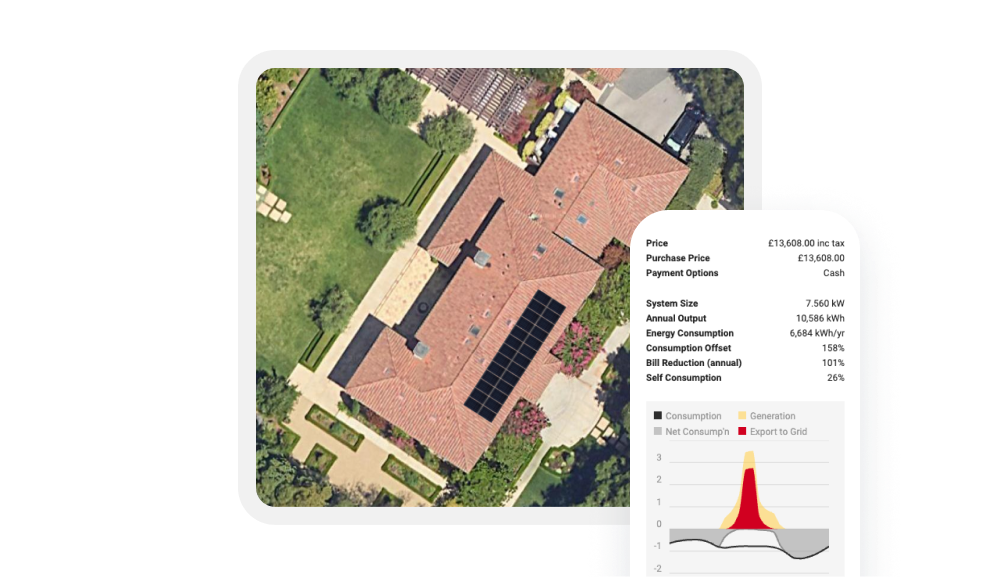
Imagery Marketplace gives you access to premium imagery inside OpenSolar, so you can buy it when a project needs it.
Start with free imagery when it gives you enough detail. Step up only when the job needs more.
Use paid imagery when you need:
- Higher-resolution 2D imagery
- Better provider coverage
- A more realistic 3D view
- More detail for the site, layout, or customer conversation
Why Pros choose Imagery Marketplace

Skip the fixed subscription and monthly data limits. Buy imagery as needed inside OpenSolar, with spend linked only to the jobs that need it.

Use the imagery option that fits the project, budget, and level of detail you need, from high-resolution 2D imagery to photorealistic 3D imagery.

Review the site location, coverage area, available captures, price and Wallet balance before you commit.


What comes with Imagery Marketplace?
-
Provider choice by project
Choose between free imagery and premium options available in your market, based on the project type, location, and level of detail required.
-
MetroMap for everyday work
In Australia, MetroMap offers a cost-effective, high-resolution 2D option when you need clearer imagery.
-
Nearmap for higher-accuracy jobs
Nearmap gives pros access to premium imagery with stronger 3D capability for complex designs and automatic shade analysis. Availability varies by market.
-
3D Plus for more realistic 3D site detail
3D Plus gives pros access to photorealistic 3D imagery inside OpenSolar, with clearer wall and site detail. Use it to review site context, check the layout, and give customers a clearer view of the project before the quote moves forward.
-
Clear purchase controls
See the exact purchase location, coverage boundary, price, validity, and purchase history before buying again.
-
Admin control for spend and access
Wallet, provider activation, and purchase permissions stay under admin control, so teams can move fast without losing oversight.
How it works
Go to Control → Integrations → Your Wallet.
Accept the terms, set up Wallet, add funds, then enable your imagery providers in Integrations & Services.
Open the project, select your provider, and click Select Area.
Choose the imagery option that fits the job. Review the site location, price, Wallet balance, and terms before confirming.
After purchase, imagery loads into the project.
Purchase history makes it easy to see what’s already available for that site.

Pay per image.
Choose by job.
Buy with confidence.
FAQs
No. Imagery Marketplace is pay-as-you-go, with no upfront subscription required.
MetroMap is available in Australia. Nearmap is available in Australia, New Zealand, the USA, and Canada. 3D Plus is available in the UK, USA, Canada, New Zealand, parts of Europe, and other supported countries.
Review the help center article on specifics, including how to set up your OpenSolar Wallet, add funds, and enable your imagery providers.
Your org admin sets up Wallet and enables providers. If you want other users to buy imagery in projects, an admin can turn on Project – Purchases for that role.
No. Enabling a provider just turns it on for your account. You are only charged when imagery is purchased in a project.
You will not be able to complete the purchase until your Wallet has been topped up. If you’re not an admin, you will need an admin to add funds. To help avoid this, we recommend enabling auto top-up.
Yes, if multiple providers are available in your market. You can choose the imagery provider that best fits the job, budget, and level of accuracy you need.
3D Plus is a paid imagery option in Imagery Marketplace. It gives you access to photorealistic 3D imagery inside OpenSolar, with clearer wall and site detail than the standard 3D view.
Use 3D Plus when a more realistic 3D view helps with site review, layout checks, or customer conversations. It is useful when the project would benefit from clearer walls, roof faces, and site context before the quote moves forward.
No. 3D Plus does not expand coverage beyond supported high-quality Google Solar API locations. It improves the 3D view where supported imagery is available, including clearer wall and site detail.
No. 3D Plus availability varies by market and by address. If 3D Plus is available for a project, you can review the purchase details before you commit.
MetroMap is a cost-effective, high-resolution 2D option in Australia. Nearmap is a premium imagery option for higher-accuracy jobs and 3D use cases where available. 3D Plus gives pros access to photorealistic 3D imagery with clearer wall and site detail where supported. Provider availability varies by market.
What the Pros have to say